Staff Attendance
A register that fills itself. Your staff tap Check in when they reach the clinic and Check out when they leave, the phone confirms they were really there, and you see the whole month at a glance — no paper register, no arguing about who came when.
Free for verified dentists. Same account as this website.
How it works
- 1
Set up the clinic, once
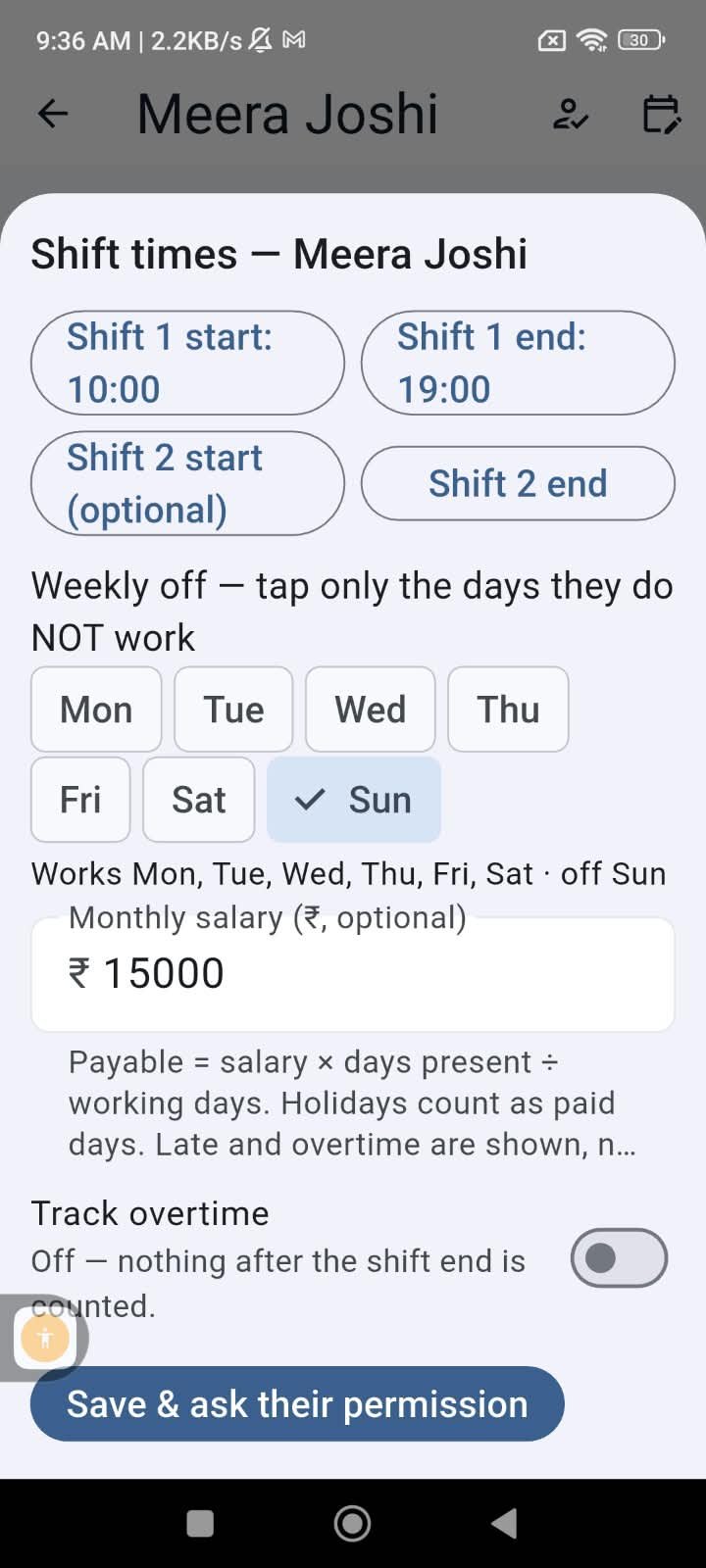
Pin the clinic on the map, set the shift timings, weekly off and grace minutes, and add your staff from your Clinic team. A monthly salary and overtime are optional — add them and the register works the payable out for you.
- 2
Staff check in on their own phone
On arrival they tap Check in. The app takes one location fix and accepts the punch only inside the clinic radius. Nothing runs in the background and nobody is tracked between punches. Check out is never blocked, so a forgotten check-out can be tapped from home.
- 3
You read the register
Every member’s day shows first in, last out, hours present, minutes late and overtime. Forgot to check out? The day closes at shift end on its own. Staff with no phone or no app? You mark their day yourself, and the row says so.
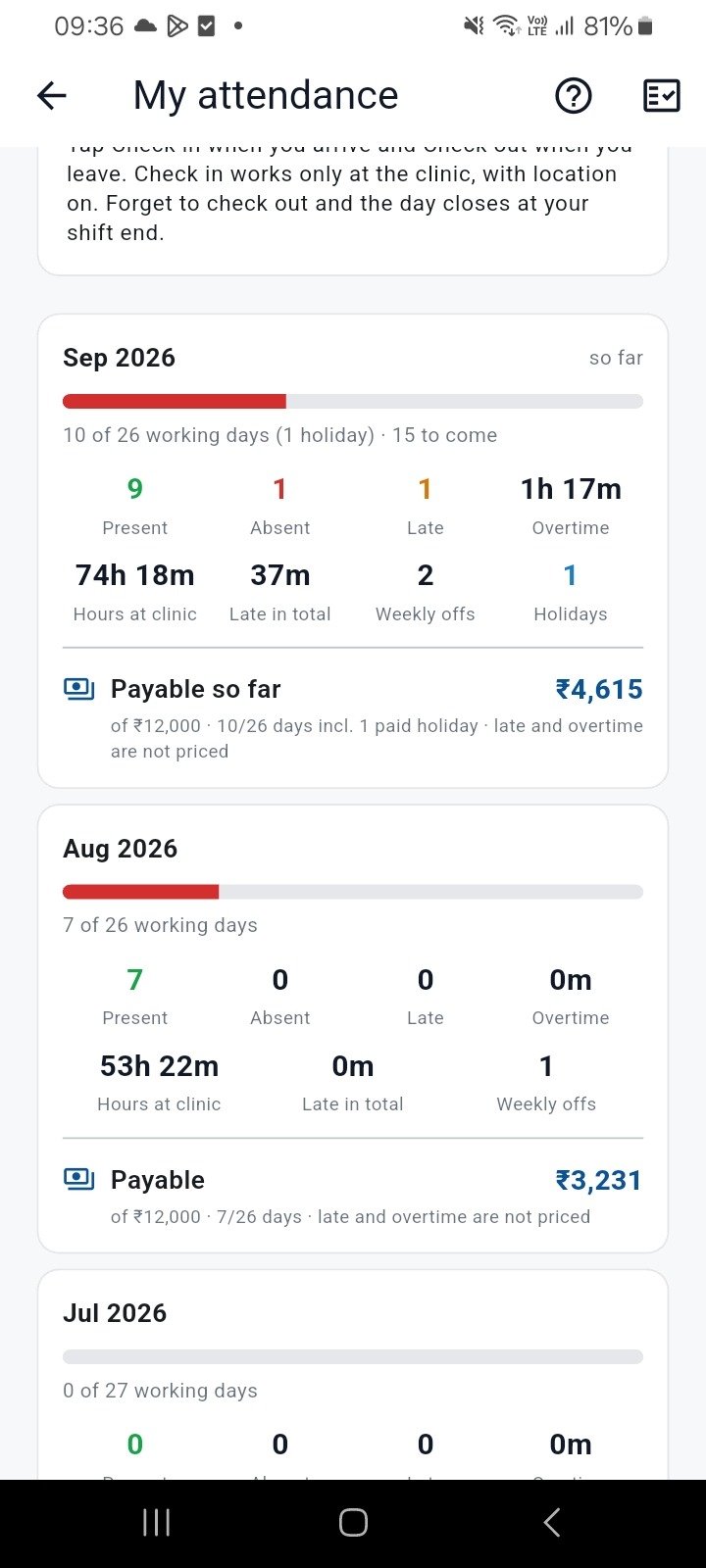
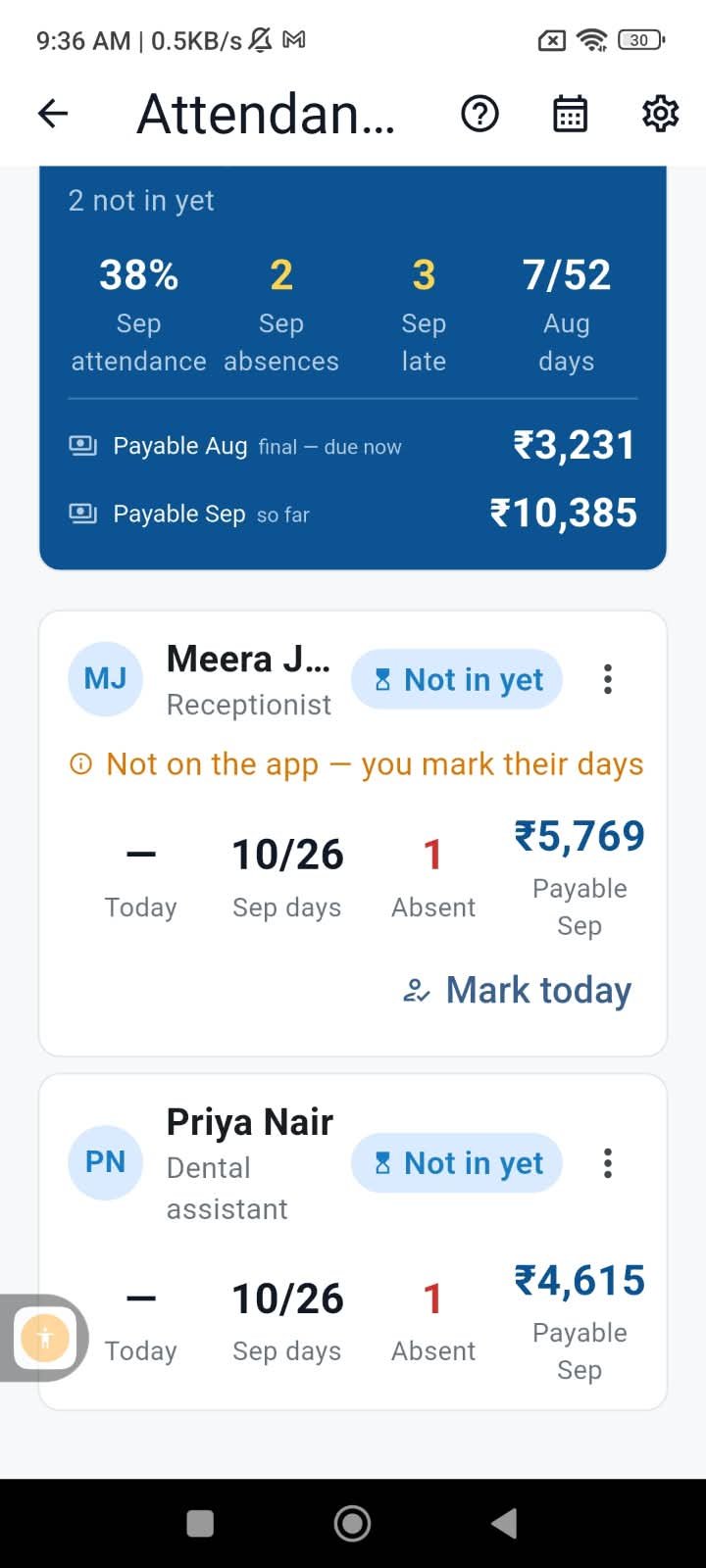
What the register shows
One row per member per day, one summary per month.
- Present, absent, weekly off or clinic holiday, for every day of the month
- First check-in and last check-out, and the hours between them
- Minutes late against the shift start, after your grace period
- Early leaving against the shift end
- Overtime after shift end, when you switch it on for that member
- The month’s attendance percentage, absences and late days per member
Built for how clinics actually run
Two shifts a day
A morning and an evening shift with a break between, or one long shift. Late and early are judged against the shift the person actually attended.
Nobody is tracked
Location is read once, at the moment of check-in, to confirm the phone is at the clinic. There is no background tracking and no live map of your staff.
Reminders on the phone
A member who has not checked in by shift start plus grace gets a nudge; one with an open check-in is reminded at shift end. Push notifications only — nothing on WhatsApp.
Staff without the app
Mark their day present or absent yourself from the register. The row is labelled as marked by you, so the source is never in doubt.
Holidays are paid days
Add a clinic holiday and it counts as paid for everyone. Weekly offs are set per member.
Double taps are ignored
A second check-in within a minute or two is dropped rather than doubling the day, so the register stays clean.
Consent and privacy
- Each staff member accepts the attendance screen on their own phone before a single punch is recorded. It says exactly what is read and when.
- Location is taken only when they tap Check in, and only to confirm they are inside the clinic radius. Check out records the time and nothing else.
- Only you, and the people you grant access to, can see the register. Attendance never appears on any profile, directory or feed.
- A member can leave the team at any time, and the punches stop with them.
- It is free, with no per-member charge.
This one is in the app only
Attendance needs the phone: the check-in is a location fix taken on the spot, and the reminders are push notifications. There is no web version of the punch or the register. This page explains it; the free SureMedico app for Android and iPhone is where it runs.
FAQ
Do my staff need a SureMedico account?
To check in themselves, yes — they install the free app, sign in with a WhatsApp OTP on their own number and accept your team invite. Staff who will not install anything can still be on the register: you mark their days yourself.
Does the app track my staff’s location all day?
No. Location is read once, at the moment they tap Check in, to confirm the phone is at the clinic. Nothing runs in the background, and check out does not read location at all.
What if someone forgets to check out?
They can check out later from anywhere — check out is never blocked. If they never do, the day closes automatically at the shift’s end time, so nobody earns overtime by forgetting and nobody loses the day either.
Can it work out salary?
If you enter a monthly salary for a member, the register shows the month’s payable from present days, paid holidays and overtime. It is a calculation to help you; paying happens outside the app.
What counts as late?
Arriving after the shift start plus the grace minutes you set. With two shifts, lateness is measured against the shift the person actually attended, not both.
Is there a web version?
Not for this. The check-in needs the phone’s location and the reminders are push notifications, so both the punch and the register live in the app. The rest of SureMedico — jobs, consultants, courses, the marketplace — works fully in a browser.
Start your clinic’s register
Free for verified dentists. Same account as this website.
Get the app

Scan to install on your phone
Android and iPhone — job alerts the moment a clinic posts.