Clinic team
Your clinic is more than you. Invite the people who work in it, decide what each may do in the clinic’s name, and let the app’s clinic features — follow-ups, checklist, attendance — be shared with them instead of living on your phone alone.
Free for verified dentists. Same account as this website.
How it works
- 1
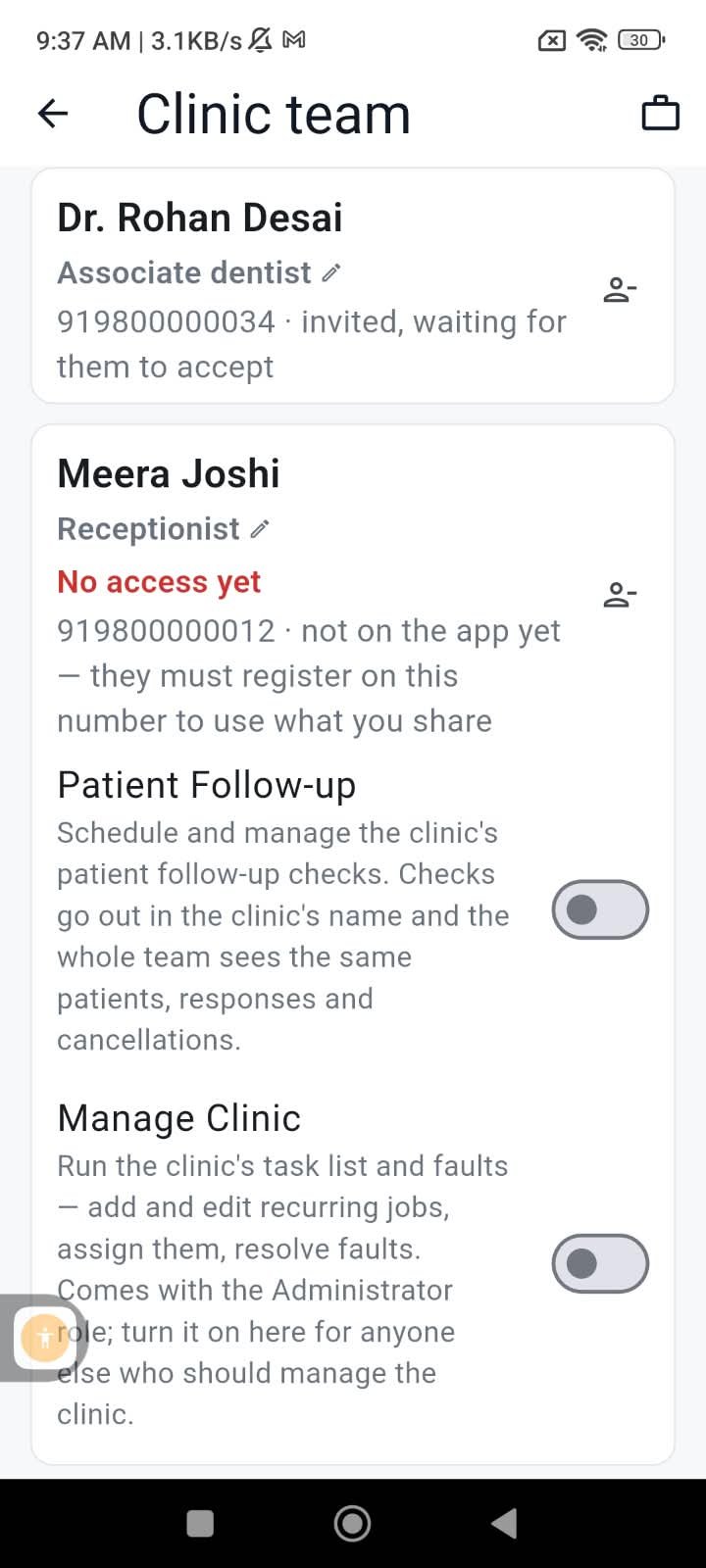
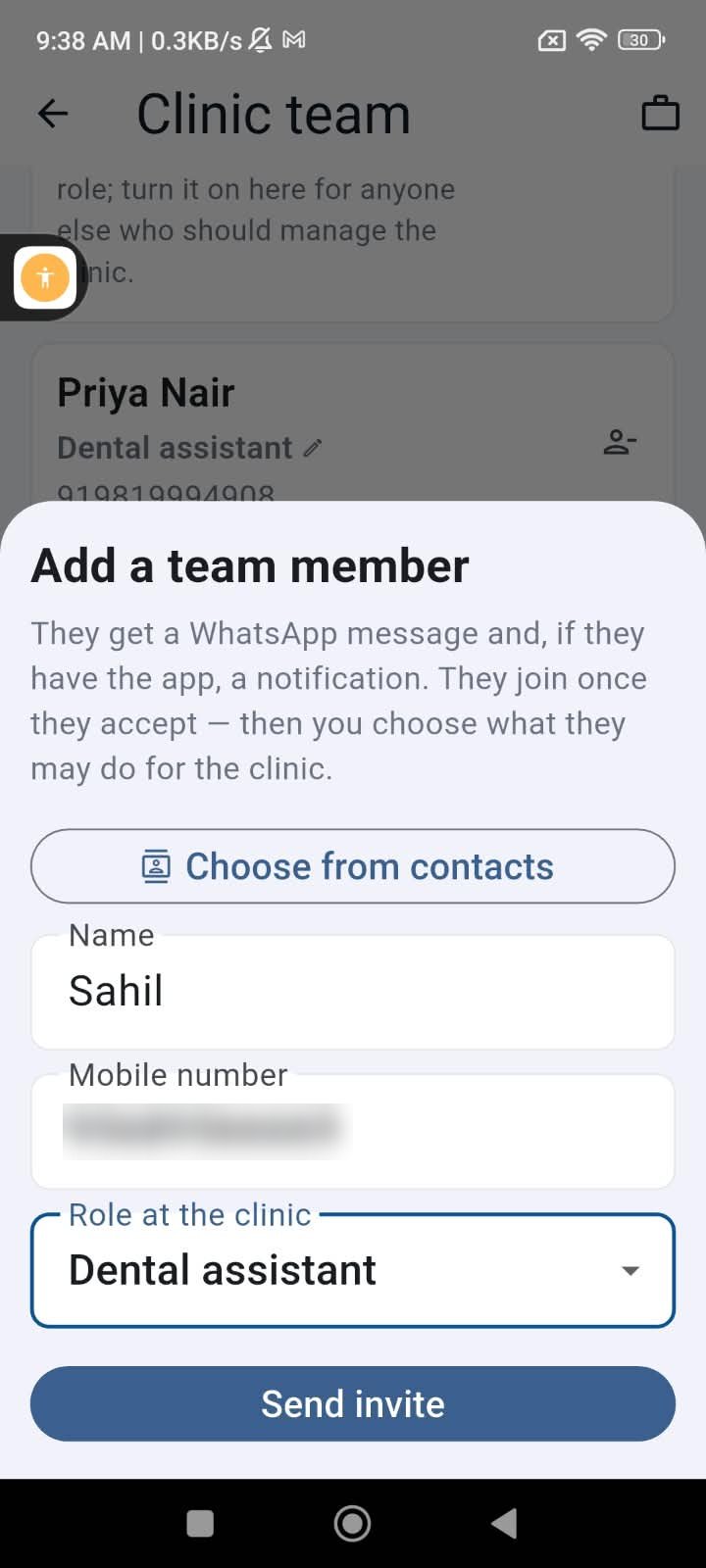
Invite by phone number
Add a member with their name, role — assistant, receptionist, associate, cleaner — and phone number. They do not need a SureMedico account yet: the invite reaches them on WhatsApp, and on the app too if they already have it.
- 2
They accept on their own phone
One tap on the invite. A person who installs the app after accepting is recognised by their number and lands on your team, with a Home screen showing only what you shared.
- 3
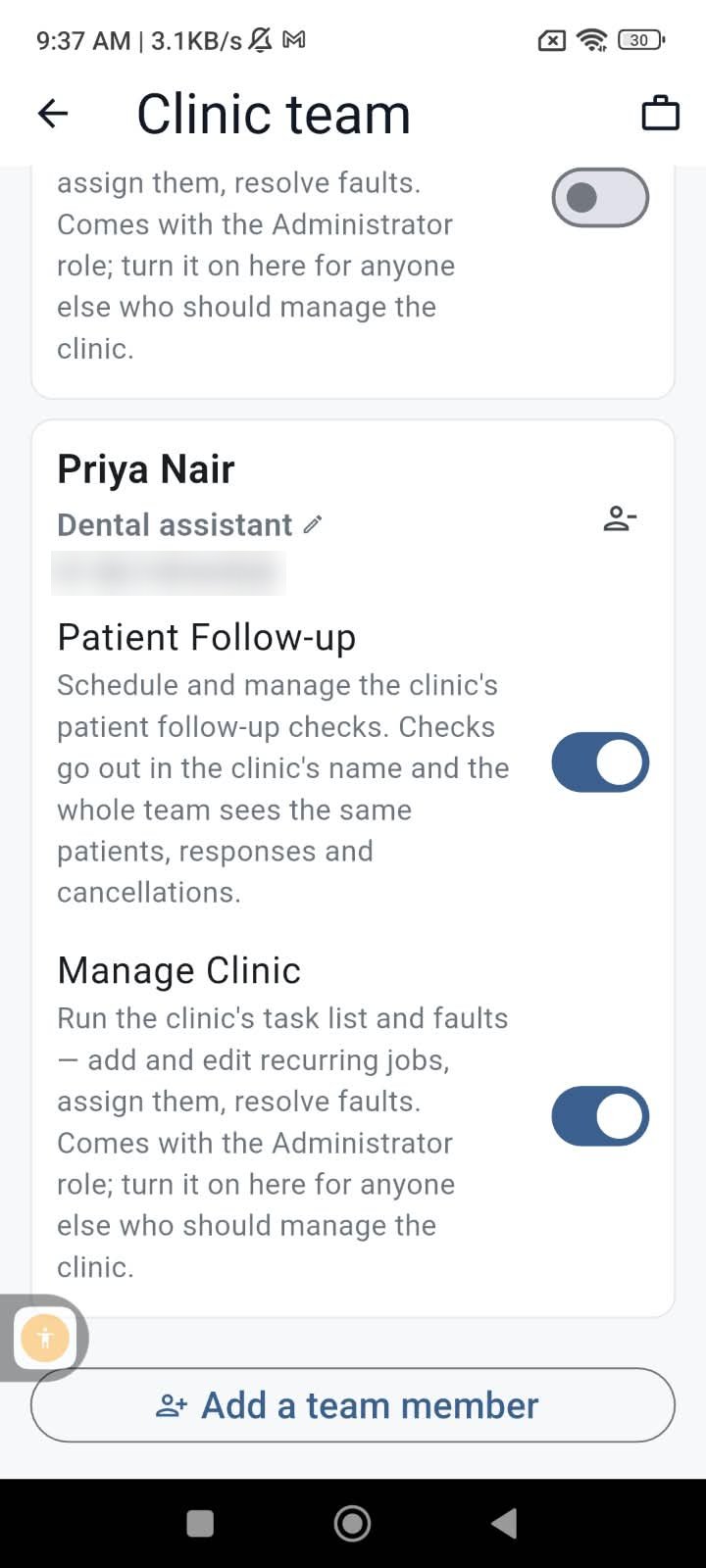
Grant what each may do
Every capability is a separate switch per member: Patient Follow-up, Manage Clinic, and the attendance register. Turn one off and that person loses only that, not their place on the team.
What can be shared today
Each is a switch of its own. More clinic features plug into the same grant as they arrive.
- Patient Follow-up — enrol and manage the clinic’s patient checks, which go out in the clinic’s name
- Manage Clinic — complete tasks and file faults on the clinic checklist; edit rights stay with you
- Attendance — a member’s own check-in and check-out; the register itself stays with you and anyone you allow
- An Administrator role that bundles the management rights for a trusted senior
How it behaves
Membership is not permission
Accepting an invite puts a person on the team. What they can do is decided by the switches you set, one per feature, and can be changed any time.
Records belong to the clinic
Follow-ups and tasks created by a member are the clinic’s, with the typist recorded. When someone leaves, the patient history and the list stay with you.
One person, many clinics
An associate who works at three clinics sees each clinic’s shared features side by side, with a chip to switch between them.
Dentists can hold a team too
Owners, associates and visiting consultants can all build a team — a consultant can share follow-ups with the clinic’s assistant, for instance.
Limits that keep it sane
Up to 25 pending invites and 20 sends a day per clinic, so a wrong number never becomes a flood.
Remove in one tap
A removed member loses every shared feature immediately. What they created stays on the clinic’s records.
For the people you invite
- The invite names you and the clinic, and asks for one tap. It is not marketing and it is not sent again on its own.
- A member sees only the features you share and only this clinic’s data — never your jobs, profile or messages.
- The app is free for them, and they sign in with a WhatsApp OTP on their own number.
- Declining or leaving is one tap, with nothing to explain.
This one is in the app only
Clinic team exists to share app features — follow-ups, checklist, attendance — and the invite lands on the member’s own phone, so building and running a team has no web version. This page explains it; the free SureMedico app for Android and iPhone is where you use it.
FAQ
Does my assistant need a SureMedico account to be invited?
No. You invite by phone number and the invite arrives on WhatsApp. When they later install the app and sign in with that number, they are already on your team.
What can a team member see?
Only the clinic features you have switched on for them, and only your clinic’s data within those. They never see your job applications, chats, profile or anything belonging to another clinic.
What is the Administrator role?
A role for a senior person that comes with the management rights bundled — such as editing the Manage Clinic list. You can still switch individual capabilities off.
What happens when someone leaves?
Remove them and every shared feature disappears from their phone at once. The follow-ups, tasks and attendance they recorded stay on the clinic’s records with their name as the typist.
Can I be on someone else’s team too?
Yes. A dentist can own a team and also be a member of another clinic’s team; the app shows both on one screen.
Is there a web version?
Not for this. The features a team shares live in the app, and so does the team. The rest of SureMedico — jobs, consultants, courses, the marketplace — works fully in a browser.
Build your clinic’s team
Free for verified dentists. Same account as this website.
Get the app

Scan to install on your phone
Android and iPhone — job alerts the moment a clinic posts.