Manage Clinic
Every recurring job a clinic must not forget, on one list that reminds the right person on the right day — and a fault list for the chair, the compressor or the AC that stays open until someone fixes it.
Free for verified dentists. Same account as this website.
How it works
- 1
Fill the list
Start with the starter pack of seven everyday jobs, pick more from about forty suggestions written for Indian clinics — biomedical waste register, AERB, council renewal, advance tax — or type your own. Set how often: twice a day, daily, weekly, monthly, quarterly, yearly.
- 2
Assign it to someone
Each task can go to one or more team members, or to you. Anyone assigned can finish it; the log records who tapped Done and when. A cleaner with no phone? Tick it on their behalf.
- 3
Get reminded, tick it off
On the day, the assignee’s phone gets a push notification. Overdue items nag every third day, not every morning. On Monday a short digest arrives only if something is pending — a quiet clinic hears nothing.
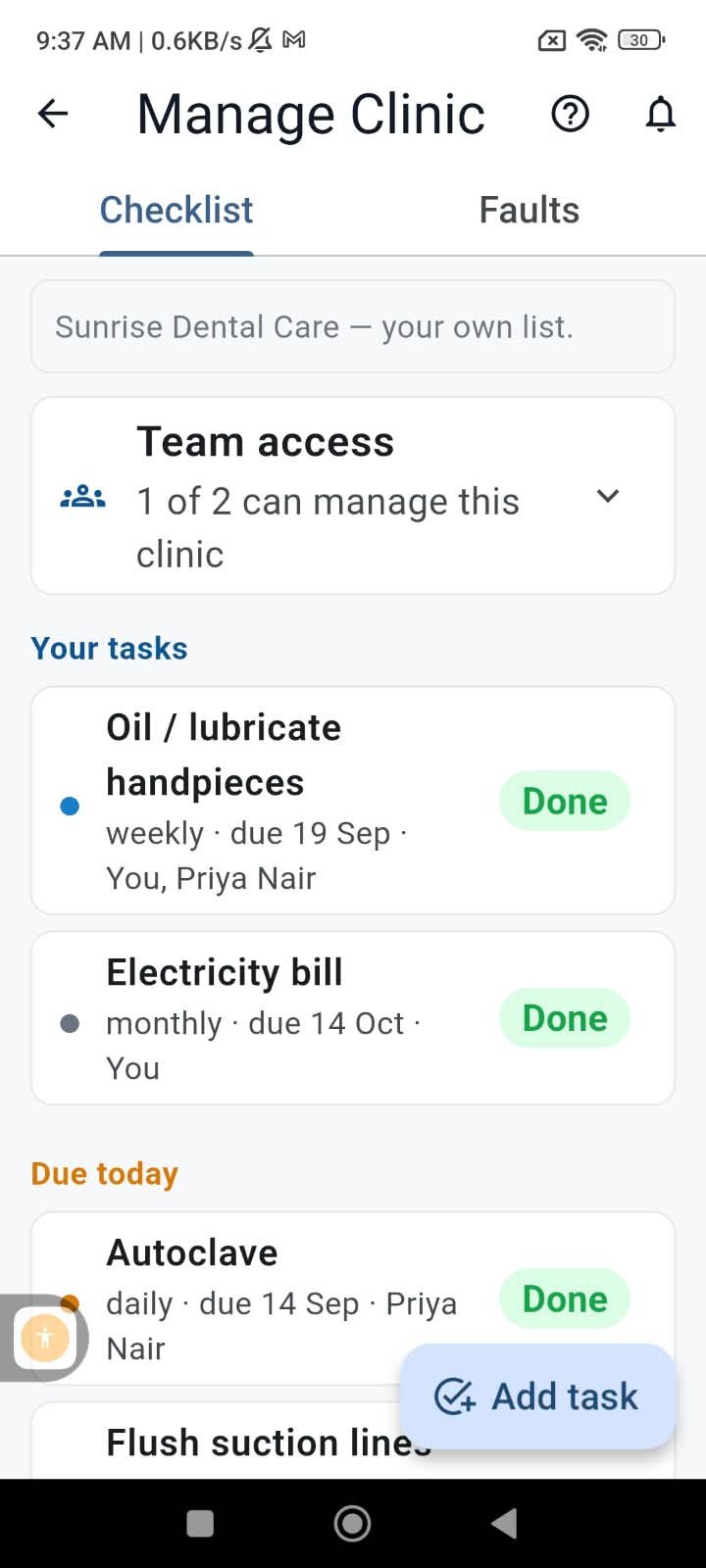
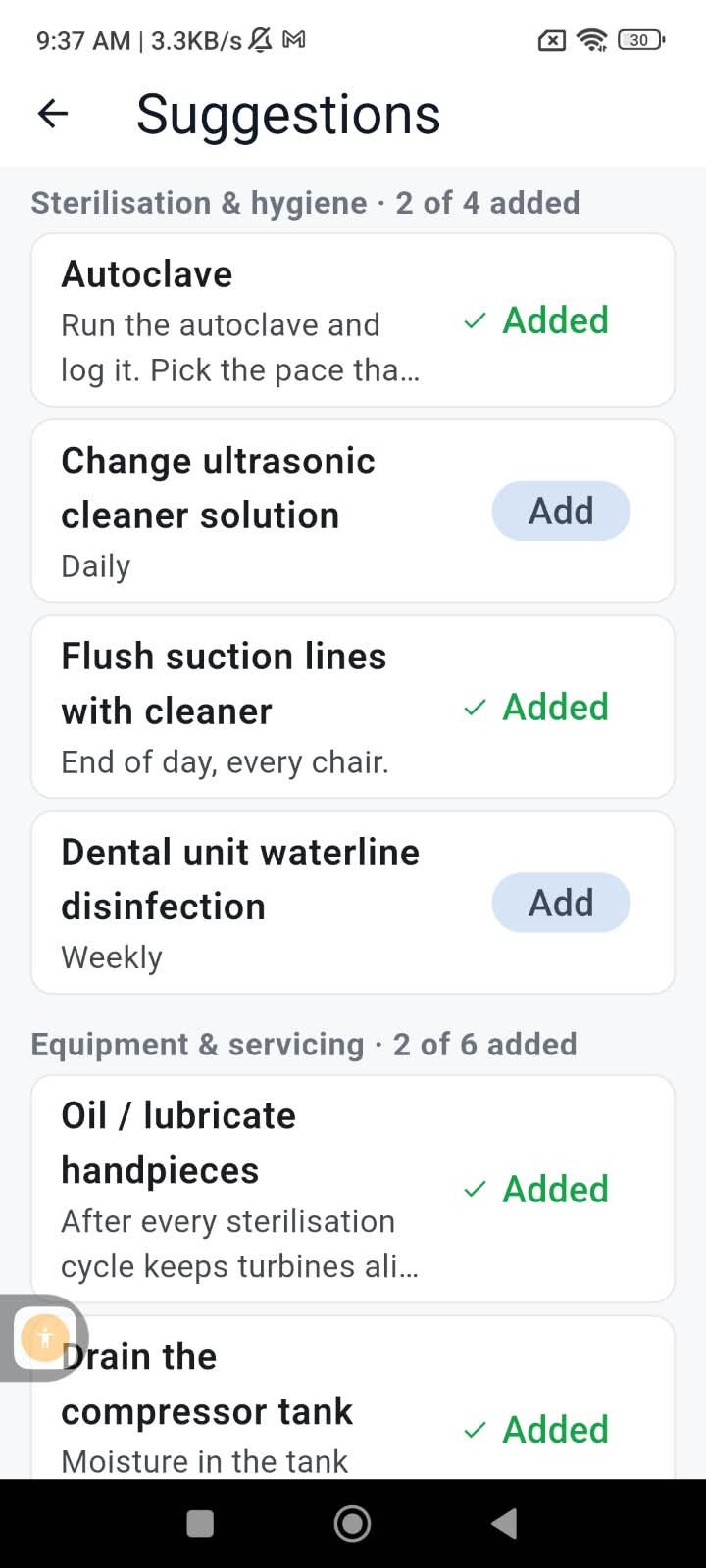
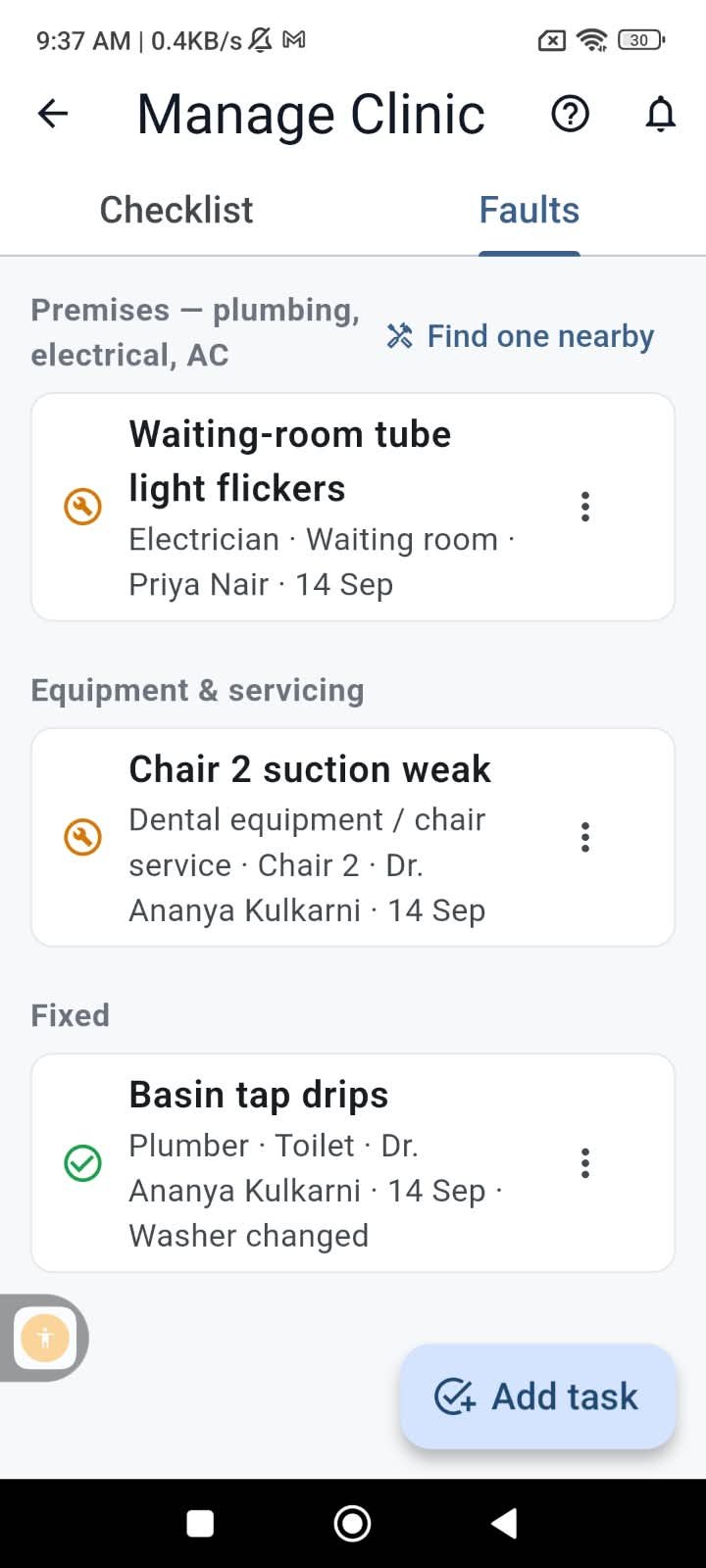
In the starter pack
Seven jobs most clinics need, added in one tap with sensible schedules.
- Run the autoclave — daily
- Flush the suction lines — daily
- Drain the compressor tank — weekly
- Oil the handpieces — weekly
- Check stock and materials — every 15 days
- Electricity bill — monthly
- AC service — every three months
What else it does
Faults, with a trade on them
Log a weak suction, a leaking tap or a tripping switch, tag it as chair, plumber, electrician, AC and so on, and it stays on the list until marked fixed. A Find-one-nearby link opens the Maintenance directory for that trade.
Just type it
Write “remind me every month for AC service” or “chair 2 suction weak, note it” in plain words — Hindi, Marathi or English — and it becomes a task or a fault on your list, with the outcome sent back to your phone.
Categories, not modules
Bills, salaries, EMI, stock, licences and cleaning are categories on the same list. There is no separate inventory or accounts module to learn.
Shared with your team
Grant Manage Clinic to a member in Clinic team and they see the list, tick tasks and file faults. Adding, editing and removing tasks stays with you.
Snooze and flag
Push a task to next week when the technician is late, or flag a completion when you checked and it was not really done.
No red on day one
A new daily task is first due tomorrow, so the list you set up this evening does not open overdue in the morning.
How reminders behave
- Push notifications only, on the assignee’s phone. Nothing is sent on WhatsApp.
- One reminder per person per day, however many tasks are due. Overdue items repeat every three days.
- The Monday digest goes only to clinics with something overdue, due this week or an open fault.
- Both reminders can be switched off per clinic.
- It is free, with no limit on tasks or members.
This one is in the app only
Manage Clinic runs on push notifications and on the team you build in the app, so the list, the reminders and the fault log have no web version. This page explains it; the free SureMedico app for Android and iPhone is where you use it.
FAQ
Do I have to set everything up from scratch?
No. One tap adds the starter pack of seven everyday jobs with sensible schedules, and a Suggestions list of about forty items covers most of what an Indian clinic has to keep up with. Nothing is switched on until you choose it.
Can my assistant tick the tasks?
Yes, once you grant Manage Clinic to them in Clinic team. They can complete tasks and file faults; only you can add, edit or remove tasks. For staff without the app, you tick on their behalf and the log says so.
Will it message me on WhatsApp?
No. Reminders are push notifications on the phone, at most one per person per day. If you type a request in plain words, the answer comes back as a notification too.
Can it order supplies or pay bills?
No. It reminds you that stock is due for a check or a bill is due for payment; the buying and paying happen where they always did.
What happens to an overdue task?
It shows in an Overdue section, and the assignee is reminded every third day until it is done. You can snooze it if the delay is expected.
Is there a web version?
Not for this. The reminders and the team are on the phone, so the list lives in the app. The rest of SureMedico — jobs, consultants, courses, the marketplace — works fully in a browser.
Set up your clinic’s list
Free for verified dentists. Same account as this website.
Get the app

Scan to install on your phone
Android and iPhone — job alerts the moment a clinic posts.